School Bell & Music Scheduler app icon
School Bell & Music Scheduler
The automatic school bell system that lives on an iPad

The school bell scheduler & bell timer that runs your bells, music and announcements — automatically

Turn one iPad into your school's complete bell system, music scheduler and PA announcement system — using the speakers and amplifier you already have. No proprietary hardware, no wiring, no expensive installation.

Free 3-day trial · then a simple monthly or yearly subscription · Proudly Australian

Watch the demo

Three minutes, start to finish

Bells, music, announcements and the iPhone remote — see the whole system running.

Screenshots

See it in action

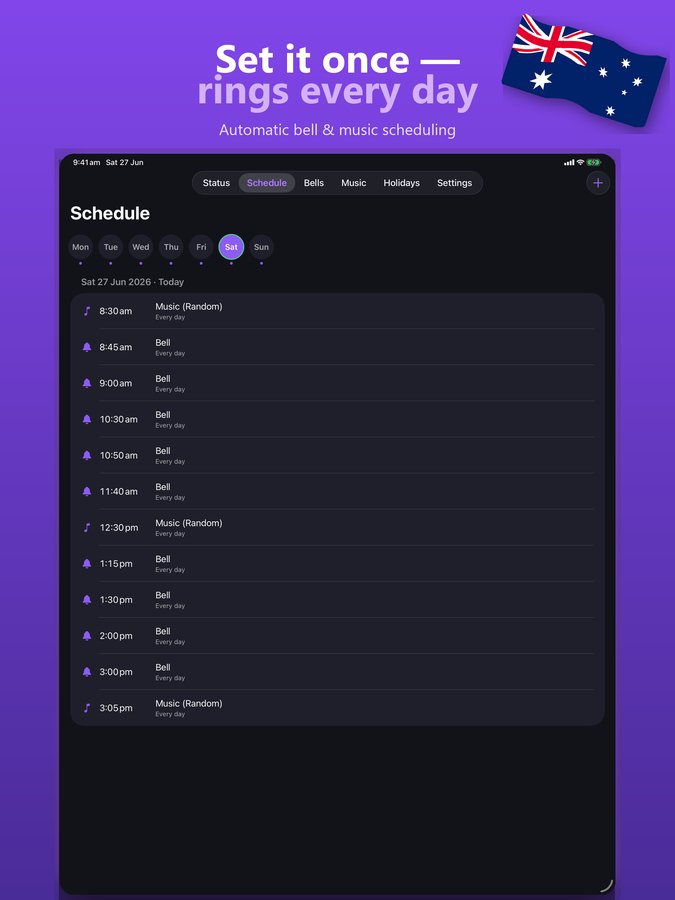
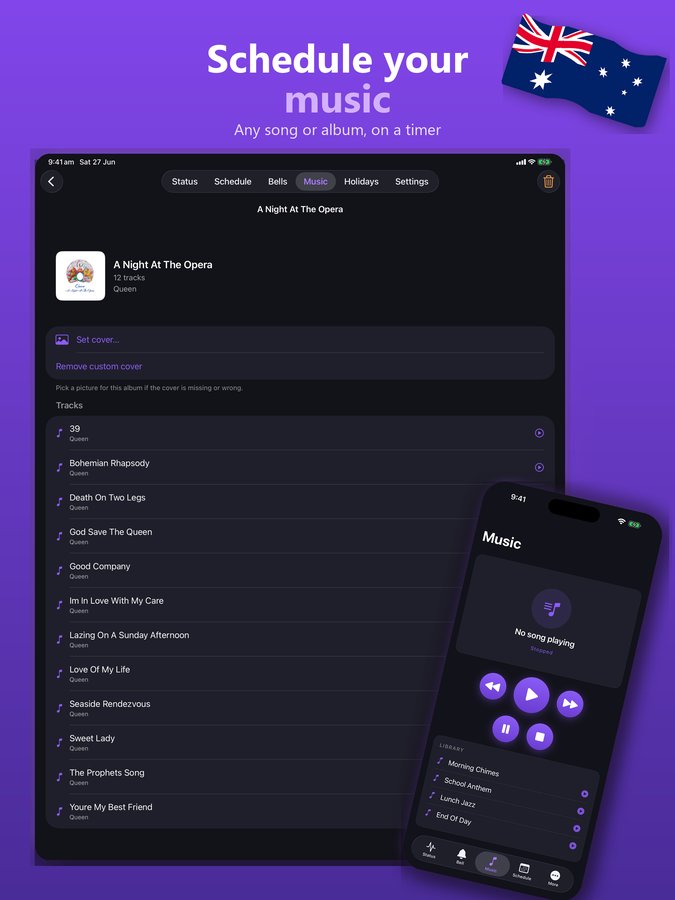
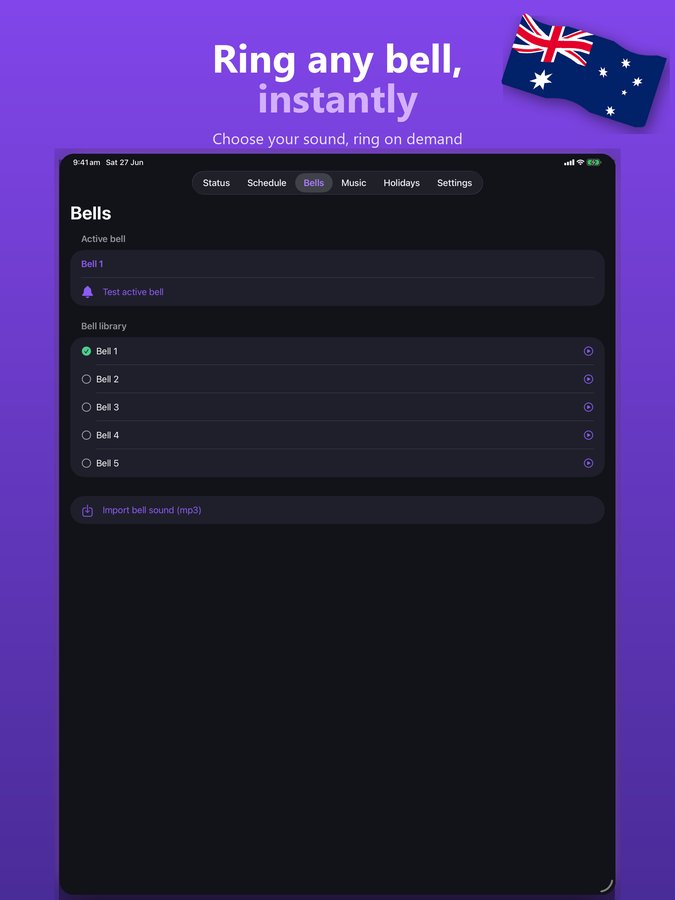
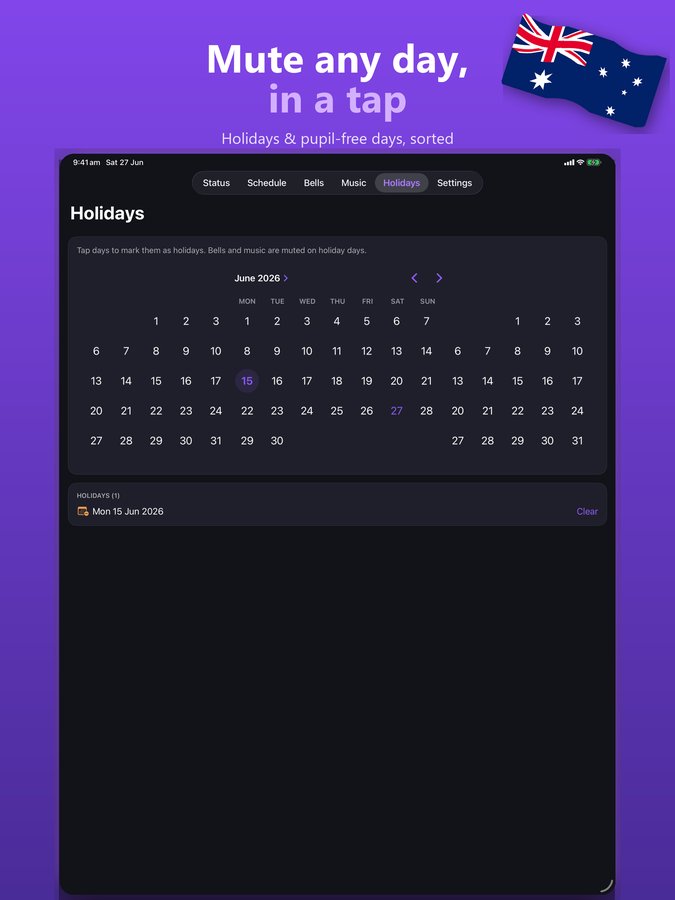
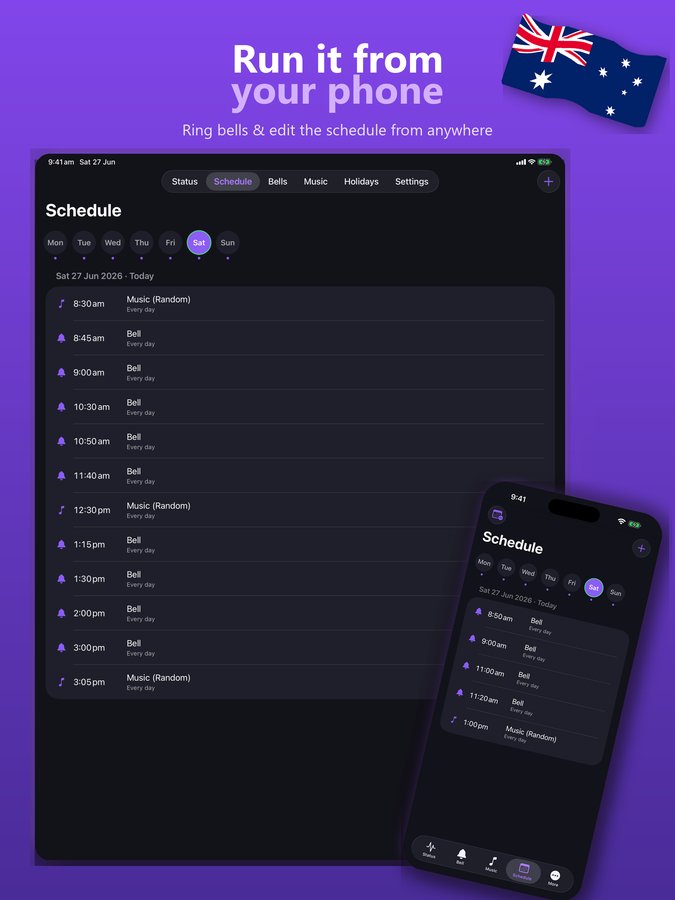
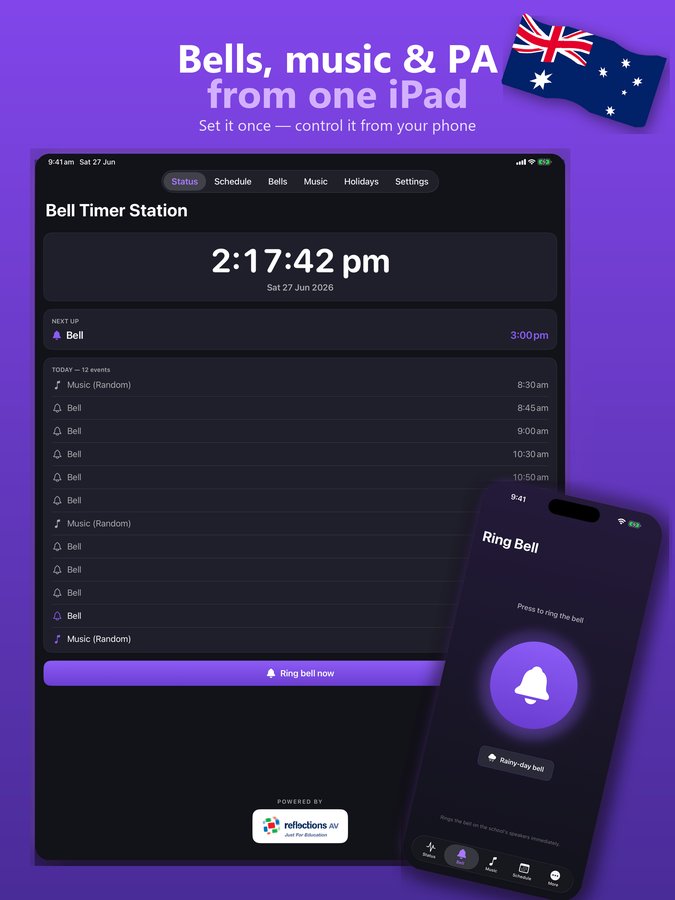
School bell scheduler status screen on iPad showing the next bell and today's timetable Automatic school bell schedule editor with period, recess and lunch bells Music scheduler playing songs with album art through the school PA Bell sound library for the school bell timer app School holidays and exception dates in the bell scheduling software Free iPhone remote app controlling the school bell system
Features

A bell scheduler, bell timer, music scheduler and PA system in one app

Set your bell schedule once and it runs every day automatically — period bells, recess, lunch and end of day, on the right days, with holidays and one-off changes handled in seconds.

Automatic daily bell timetable

Build your school bell schedule once and it rings on time every single day. Class change bells, recess bells, lunch bells and home time — all handled by the bell timer.

Music scheduler with album art

Schedule any song or album to your speakers on a timer — morning music, lunchtime playlists, assembly walk-in music. Ring the bell first to grab attention, then play the song.

PA announcements

Record a message on your phone and play it over the school speakers — or save announcements to replay on demand. Wet-weather timetable? One tap.

Holidays & exceptions

Mute a whole day, change a single date or run a special-event schedule without touching your weekly routine. School holidays handled in seconds.

Free phone remote for staff

The free companion app gives any staff iPhone full control from anywhere on the school network — ring bells, fire announcements, edit today's schedule. Run a whole sports day from the field.

Backup & restore

Back up your whole bell and music setup and restore it to a new iPad anytime. Manual bells and rainy-day bells on the spot, plus light & dark themes.

How it works

From box to ringing bells in an afternoon

1

Plug an iPad into your PA

Connect the iPad's audio output to your existing PA amplifier or powered speakers. That's the whole installation — no wiring, no electrician.

2

Build your bell schedule

Enter your timetable once — period bells, recess, lunch, end of day. Choose your bell sounds and any scheduled music.

3

Let it run

The bell timer takes over and rings on time every day, all on its own. Staff control it from their phones with the free remote app.

Who it's for

Made for schools — handy anywhere with a PA

Anywhere that needs scheduled bells, sirens, music or announcements through existing speakers:

Primary & secondary schoolsKindergartens & OSHCFactories & warehouses (shift bells)Sports clubs & carnivalsChurches & community hallsCampgrounds & pools
FAQ

School bell system questions, answered

How do I automate my school bells?

Install School Bell & Music Scheduler on an iPad, plug the iPad into your PA system or amplifier, and build your bell timetable once. The app then rings your period, recess, lunch and end-of-day bells automatically every school day — with holidays and one-off changes handled in seconds.

Can an iPad replace a school bell system?

Yes. A single iPad running this app replaces a traditional wired bell timer or bell controller. There's no proprietary hardware, no wiring and no expensive installation — the iPad drives the speakers and PA equipment you already own.

Does it work with our existing PA system and speakers?

Yes. The app plays through whatever the iPad's audio output is connected to — your PA amplifier, powered speakers or existing school sound system. Plug in and you're running.

Can it play music instead of a bell?

Yes — it's a full music scheduler as well as a bell scheduler. Schedule any song or album at set times, with album art, and optionally ring the bell first to grab attention before the music plays.

Can I control the bells from my phone?

Yes. The free companion app for iPhone gives staff full control from anywhere on the school network — ring bells, fire announcements, and view or edit today's schedule. It pairs instantly, with no IP addresses to type.

What does a school bell system cost?

Traditional wired bell controllers can cost thousands of dollars installed. School Bell & Music Scheduler runs on an iPad you may already own — free for 3 days, then a simple monthly or yearly subscription with ongoing updates and support.

We run Windows — is there a PC version?

Yes — our full Bell Timer for Windows runs as a background service on a Windows PC and drives your PA all day, with its own iPhone companion app.
Ready to put your bells on autopilot?

Free for 3 days — set up your whole schedule and hear it run before you pay a cent.

Download on the App Store