Wireless screen mirroring for classrooms, meeting rooms & venues
Cast your screen to any TV or touchscreen panel — wirelessly, on your own network
AVHUD Cast turns Android TVs, Fire TVs and touchscreen panels into wireless presentation screens. Mirror your Windows PC, Mac or any web browser to the big screen in seconds — no cables, no dongles, no internet required.
Coming soon · Works fully offline · Proudly Australian
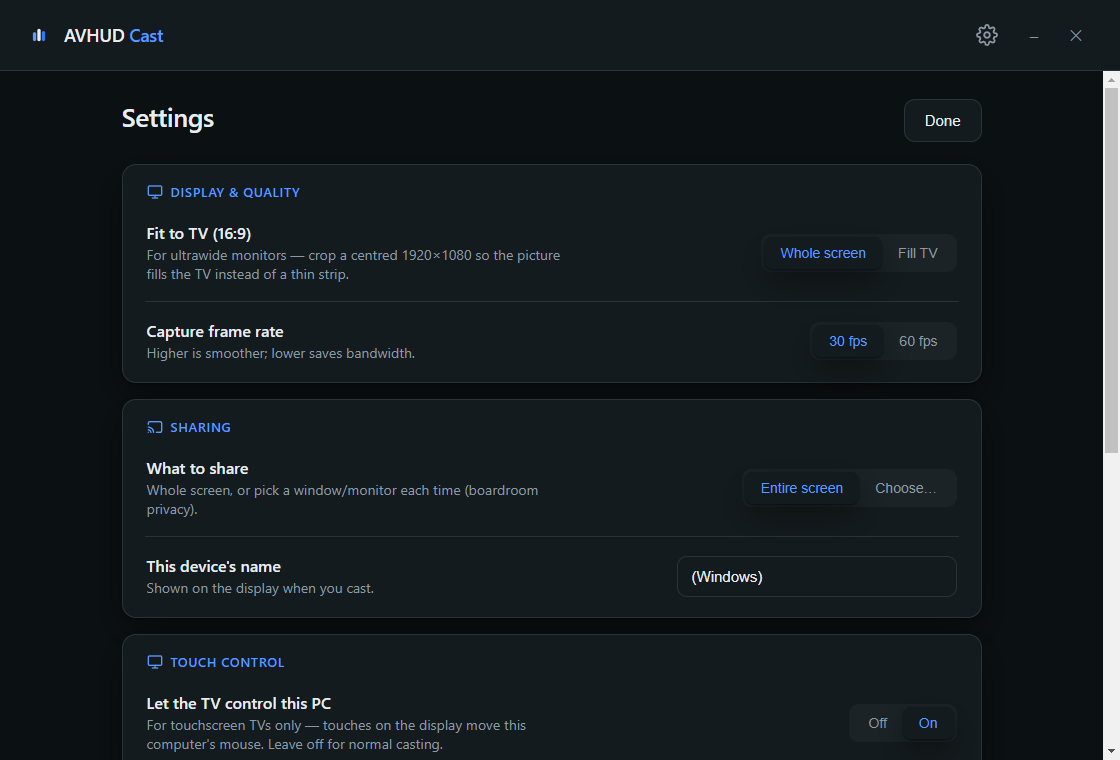
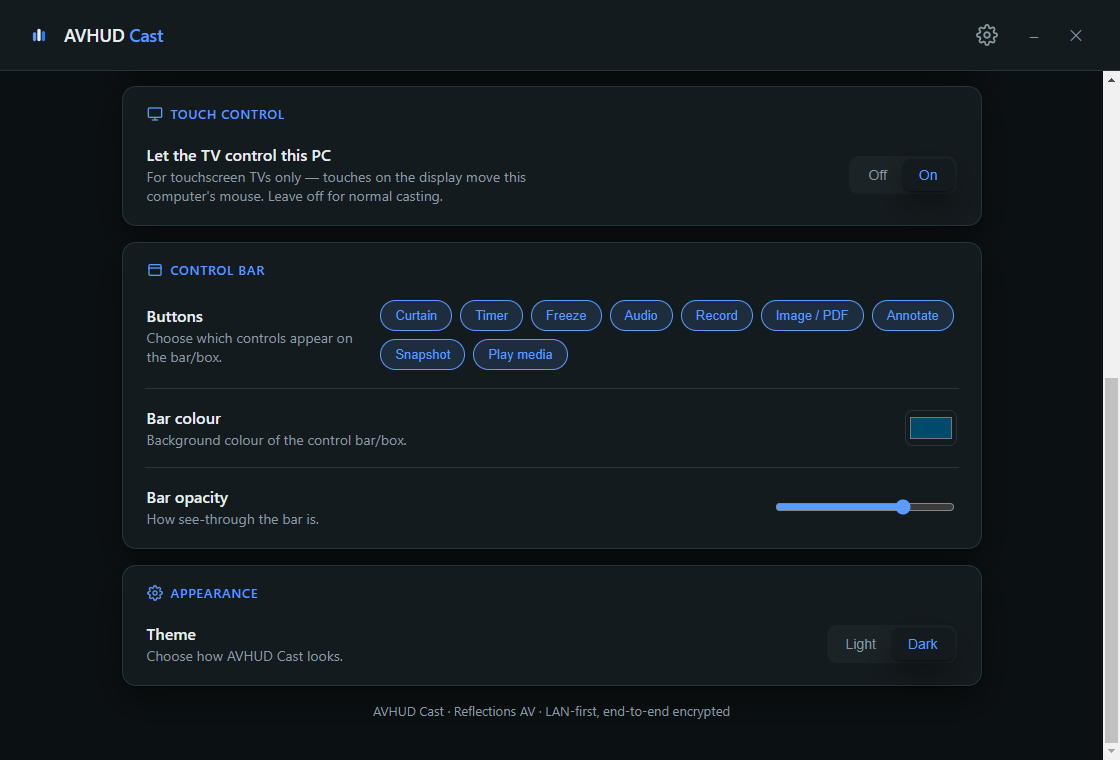
Screenshots
A look inside
Features
Everything a wireless presentation system should do
Walk in, scan the QR code on the screen, and you're presenting. AVHUD Cast handles the everyday screen sharing jobs in classrooms, boardrooms, clubs and venues — without the enterprise price tag.
Cast from Windows, Mac or browser
Native sender apps for Windows and Mac, plus browser casting from any device on the network — guests can share their screen from Chrome or Edge without installing a thing.
QR-code connect
The receiver shows a QR code and short code on the screen. Scan or type it and you're mirroring in seconds — no IP addresses, no network knowledge needed.
Works fully offline
LAN-first by design: everything runs device-to-device over your own network. No cloud, no accounts, and your screen content never leaves the building.
Smooth, low-latency mirroring
Built on the same real-time video technology as modern video calling, tuned for the local network — smooth motion and tight latency, even for video.
Draw over anything
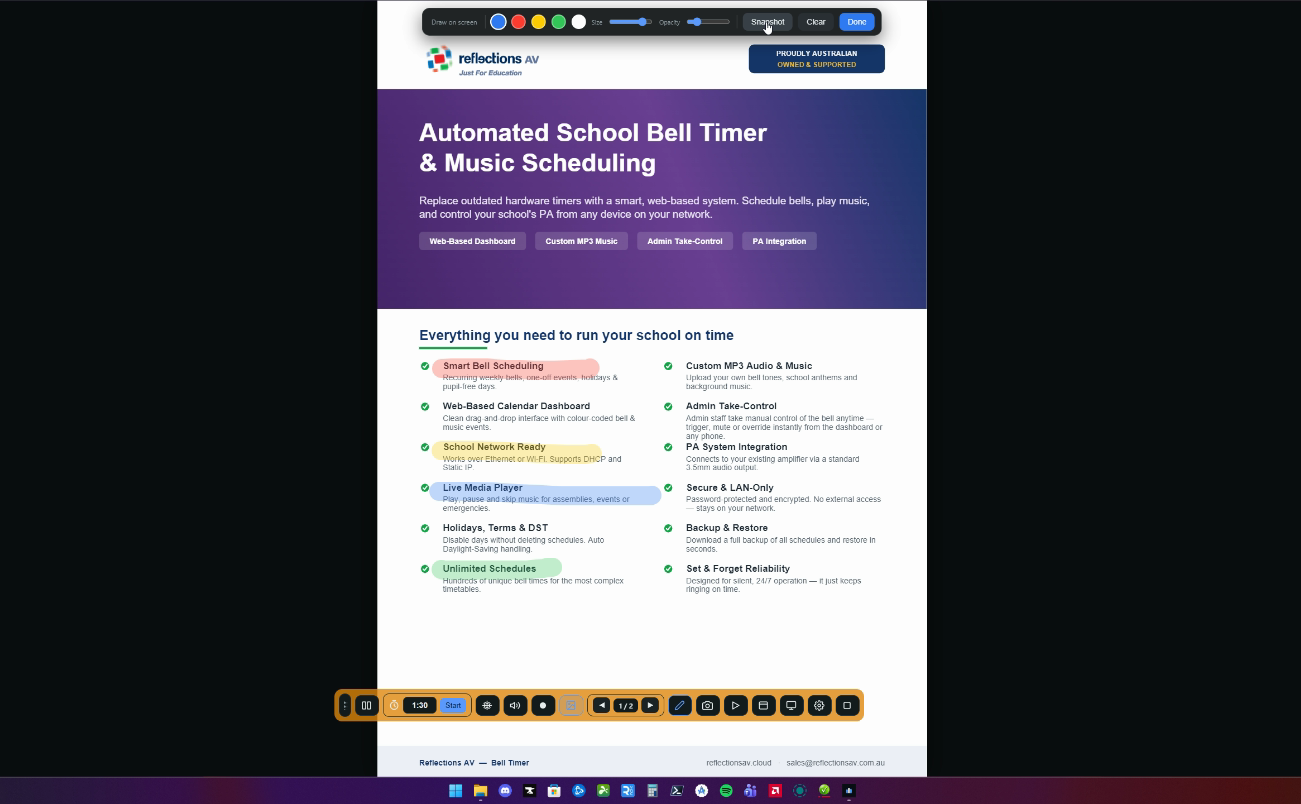
Grab the pen and annotate live over whatever's on the screen — websites, slides, documents. Pick your colour, size and opacity; highlight, mark up, then clear it with one tap.
Present images & PDFs
Put a PDF or image straight on the big screen and flip through the pages from the toolbar — no juggling apps mid-presentation. Draw on the pages as you go.
Record & snapshot
Record the session to a video file, or hit Snapshot to save exactly what's on the screen — markups and all. Perfect for capturing worked examples and meeting outcomes.
Curtain, timer & freeze
Hide the display behind a curtain while you set up, run a countdown timer for activities, or freeze the picture while you work privately — classroom tools built right into the bar.
Make the toolbar yours
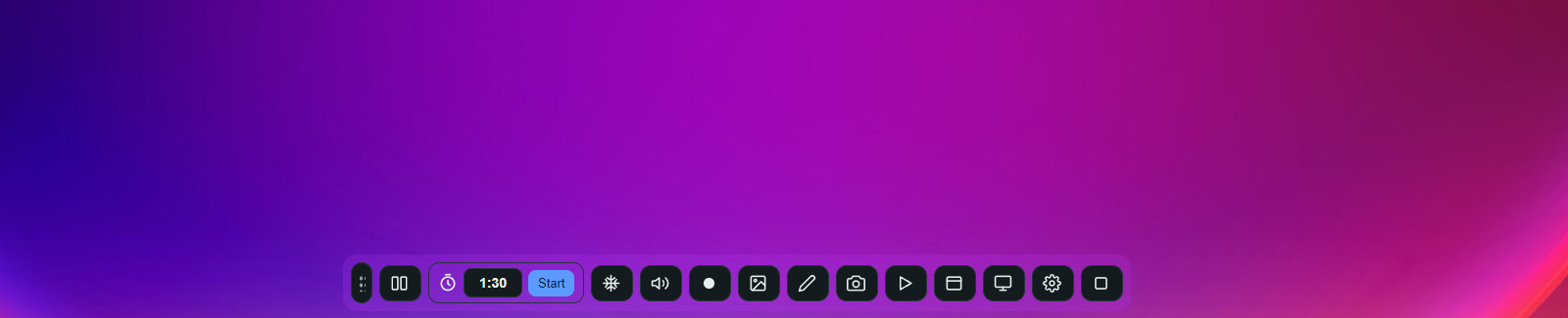
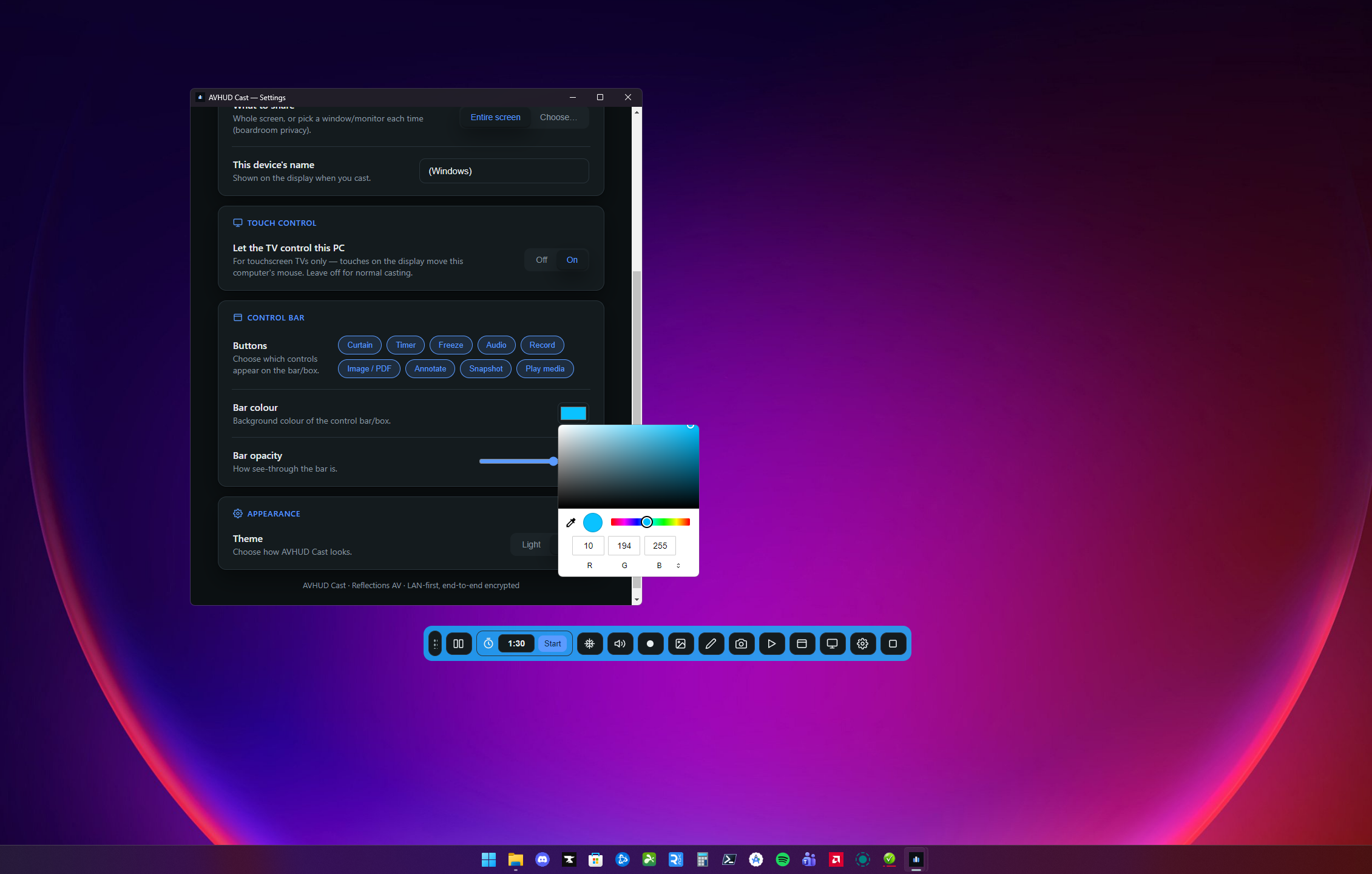
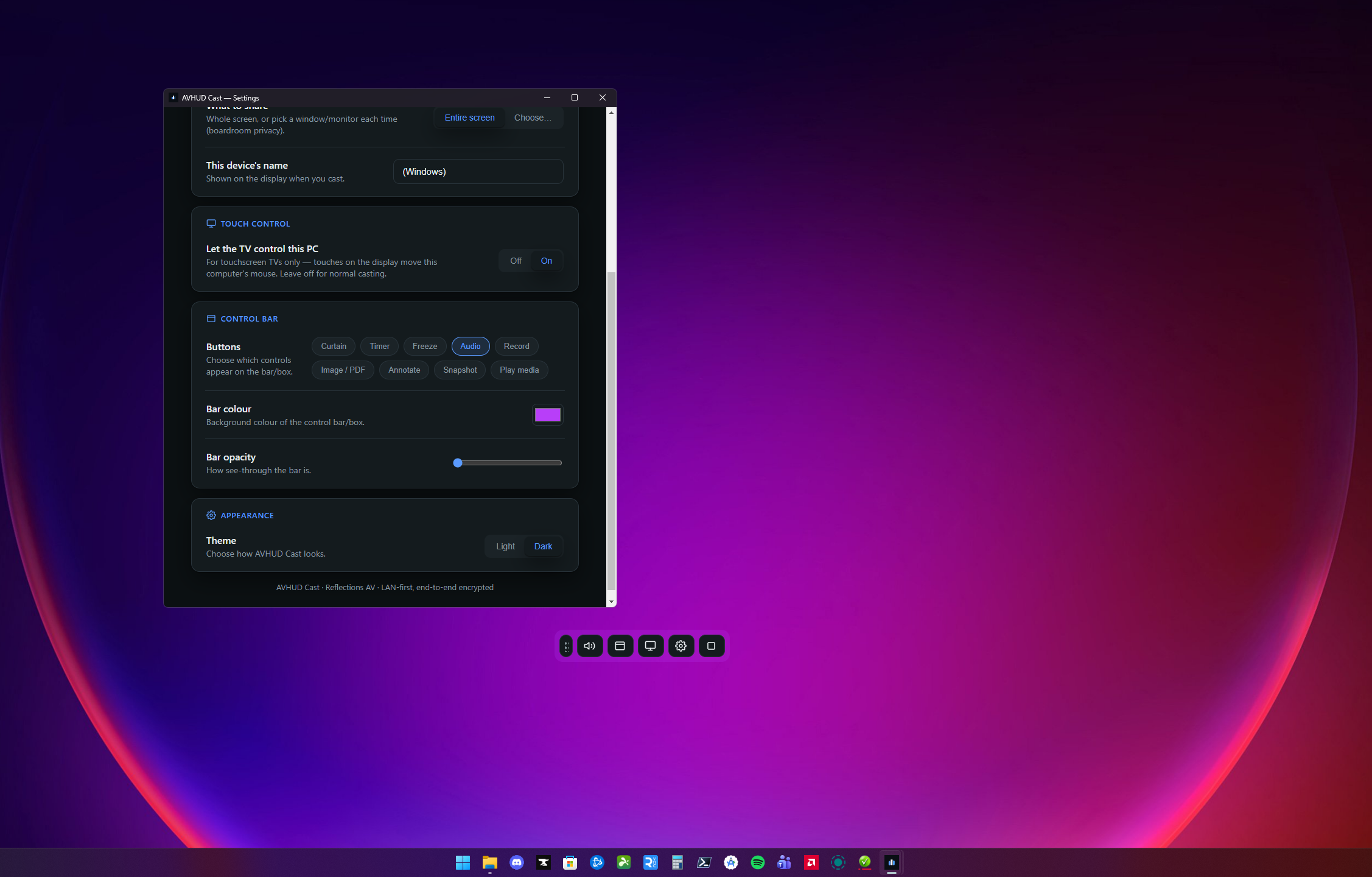
Choose exactly which buttons appear on the floating bar — strip it to the basics or load it up. Pick any bar colour and opacity to suit your room, in light or dark theme.
Runs on the screens you own
The receiver installs on Android TV, Google TV, Fire TV sticks and Android touchscreen panels (Android 5.1+) — including the older interactive panels many schools already have. On touchscreens, touches on the panel can even drive the connected computer.
How it works
On the big screen in under a minute
1
Install the receiver
Put the AVHUD Cast receiver on your Android TV, Fire TV or touchscreen panel. It starts on the standby screen showing a QR code and short code.
2
Open the sender
Use the AVHUD Cast app on Windows or Mac — or just open the casting page in a browser on any device on the same network.
3
Scan and cast
Scan the QR code or enter the short code, choose your screen, and you're presenting. The floating bar gives you curtain, timer and stop controls.
Who it's for
Made for the front of the room
Anywhere people need to get a screen onto a bigger screen without fuss:
AVHUD Cast is in final testing ahead of release — senders for Windows and Mac, browser casting for guests, and the receiver for Android TV, Fire TV and touchscreen panels (Android 5.1+).
Want it for your school, club or business?
Register your interest and we'll let you know the moment it's available — or arrange a demonstration.
How do I mirror my laptop screen to a TV wirelessly?
Install the AVHUD Cast receiver on your Android TV, Fire TV or touchscreen panel, then open the AVHUD Cast app on your Windows PC or Mac (or just a browser on any device). Scan the QR code or enter the short code shown on the TV and your screen appears on the big screen in seconds — no cables, no dongles.
Does it work without internet?
Yes. AVHUD Cast is LAN-first — everything runs over your own local network, device to device. It works in buildings with no internet at all, and your screen content never leaves your network.
Can I cast to an interactive touchscreen panel?
Yes. The receiver runs on Android-based interactive flat panels and touchscreen displays running Android 5.1 or newer — including many of the older panels schools and clubs already have on the wall — as well as Android TV, Google TV and Fire TV devices.
Can I draw on the screen and present documents while casting?
Yes. The floating toolbar has an annotation pen — draw over anything on the screen in your choice of colour, size and opacity. You can put images and PDFs straight on the big screen and flip through pages from the toolbar, record the session to video, or snapshot the screen (markups included) with one tap. Every toolbar button can be turned on or off in settings, and the bar's colour and opacity are fully customisable.
Do guests need to install anything to cast?
No. The receiver hosts its own casting page on your network. Guests scan the QR code on the screen and share from Chrome, Edge or Safari — nothing to install.
Is AVHUD Cast an alternative to EShare or similar casting systems?
Yes. AVHUD Cast covers the everyday wireless presentation jobs those tools are used for — mirroring laptops to the front-of-room screen with a simple QR connect flow — plus classroom extras like the screen curtain and countdown timer, with no subscription.
When is it available?
AVHUD Cast is in final testing ahead of release. Register your interest and we'll let you know the moment it's out — or get in touch to arrange a demonstration.
Put your screens to work
Receiver on the screen, sender on your laptop, casting in under a minute — coming soon.